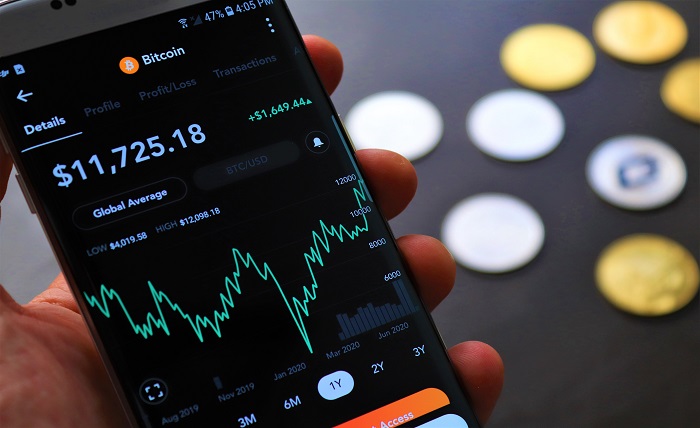
If you hold crypto on more than one exchange, wallet, or blockchain, you already know the problem: your actual portfolio is hard to see.
Bitcoin may sit on an exchange, Ethereum may be in MetaMask, stablecoins may be earning yield through a DeFi protocol, and a few older tokens may be forgotten in another wallet. Checking each account separately makes it easy to misjudge your total balance, overlook losses, or make decisions based on incomplete information.
A reliable crypto portfolio tracker brings those pieces together. It can show your total holdings, current value, profit and loss, asset allocation, transaction history, and—in some cases—tax-relevant gains and income. The best choice depends less on flashy charts and more on how you use crypto, where you hold it, and whether the tool can accurately handle your transactions.
What a Crypto Portfolio Tracker Actually Does
A crypto portfolio tracker is not necessarily an exchange or a wallet. Its primary job is visibility.
It gathers data from connected exchanges, public wallet addresses, blockchain networks, manual entries, or uploaded CSV files. Then it organizes that information into a portfolio dashboard.
A useful tracker should help you answer questions such as:
- What is my portfolio worth across every account?
- How much did I actually invest versus how much is unrealized profit?
- Which coin or token is driving most of my risk?
- Did I buy an asset at several different prices?
- How much crypto is locked in staking, lending, liquidity pools, or other DeFi positions?
- Which transactions might affect my tax calculations?
For example, imagine you bought BTC through Binance, keep ETH in MetaMask, stake SOL through Phantom, and hold USDT in another exchange account. Without a tracker, you may mentally add balances and still miss price movements, transaction fees, or assets deployed in DeFi. A tracker gives you one dashboard instead of four or five disconnected views.
Features That Matter Most
Do not choose a tool simply because it supports thousands of coins. Most investors benefit more from accurate transaction data and compatible integrations than from an enormous token list.
Exchange and Wallet Connections
First, check whether the tracker supports the exact exchanges and wallets you use.
For centralized exchanges, look for API sync or CSV import support. API syncing can automatically pull trades, deposits, withdrawals, and balances. A CSV upload is useful when an exchange is unsupported, when you prefer not to connect an API, or when you need to import historical records.
For self-custody wallets, reputable trackers generally use a public blockchain address. A public address allows the tracker to view on-chain activity but does not authorize it to move funds.
CoinGecko’s portfolio tool, for example, focuses on manually tracked portfolios, price data, P&L, multiple lists, and alerts. It can be a straightforward choice for someone who wants tracking without connecting financial accounts. Tax-focused platforms such as Koinly support broad exchange, wallet, blockchain, and API integrations, along with CSV imports and a free tax preview.
Accurate Profit and Loss
“Portfolio value” is useful, but it is not the same as performance.
A good crypto portfolio tracker separates:
- Current holdings value: What your assets are worth now.
- Cost basis: What you originally paid, including relevant fees where applicable.
- Unrealized gain or loss: Profit or loss on assets you still hold.
- Realized gain or loss: Profit or loss from assets you sold, traded, or disposed of.
- Income events: Rewards from staking, mining, referrals, airdrops, or similar activity.
This matters because a 20% rise in your dashboard does not always mean every holding is profitable. You may have bought one asset near a market peak, while gains in another asset make the overall portfolio look healthier than it is.
DeFi and NFT Visibility
Basic trackers are often enough for spot investing. They become less reliable when you use DeFi.
If you provide liquidity, lend assets, bridge tokens, receive liquid-staking tokens, or use multiple chains, look for protocol-aware transaction parsing. Otherwise, a tracker may double-count assets.
For instance, depositing ETH into a lending protocol should not appear as both ETH in your wallet and a separate full-value lending position. Similarly, wrapping ETH or bridging USDC between chains may look like a sale and a purchase unless the software understands the transaction context.
Tools aimed at extensive DeFi monitoring may support exchanges, wallets, blockchains, and protocol connections; CoinStats advertises support for more than 300 wallets and exchanges, 50+ blockchains, and over 10,000 DeFi protocols. Always verify support for the specific networks and protocols you use before subscribing.
Alerts and Asset Allocation
Price alerts can prevent constant chart watching. Set alerts around your own decision levels, not random market predictions.
Useful alerts include:
- A price target where you plan to take partial profits.
- A downside level where you want to review your thesis.
- A sudden percentage move in a large holding.
- A portfolio allocation limit, such as one altcoin exceeding 20% of your total holdings.
Allocation is equally important. If one token has quietly grown from 8% to 35% of your portfolio, your risk profile has changed—even if the portfolio is up overall.
Security: The Rule Beginners Must Remember
A portfolio tracker should never need your seed phrase, recovery phrase, private key, or exchange withdrawal permissions.
When connecting an exchange through an API, create a read-only API key whenever possible. Disable trading and withdrawals. If the platform asks for access that is not necessary for portfolio viewing, stop and investigate.
Public wallet addresses are generally safe to share for tracking because blockchain activity is public. However, they also reveal your wallet balances and transaction history to the service, so consider the privacy trade-off.
Security should influence tool selection. In 2024, CoinStats reported a breach affecting 1,590 in-app wallets, while the company stated that external exchange and wallet connections using read-only API keys were not affected. The practical lesson is simple: minimize permissions, avoid custodial features you do not need, and keep crypto assets in wallets you control.
Should You Use a Free or Paid Tracker?
Free tools work well when you have a small number of transactions and mainly want a clean dashboard.
A paid tracker becomes worthwhile when you trade frequently, use multiple exchanges, hold assets across several chains, participate in DeFi, or need tax reports. The time saved from accurate imports and transaction categorization can outweigh the subscription cost.
| Your situation | Best tracker approach |
| Long-term investor with a few assets | Manual tracker or free portfolio dashboard |
| Uses two or three exchanges | API-enabled tracker with exchange syncing |
| Holds assets in MetaMask, Phantom, or hardware wallets | Multi-chain wallet tracking |
| Uses staking, liquidity pools, lending, or bridges | DeFi-aware tracker with protocol support |
| Needs capital-gains records | Tax-focused tracker with exportable reports |
| Invests in crypto and stocks | Multi-asset tracker with brokerage support |
Tax reporting is a major differentiator. Crypto transactions can create reporting obligations depending on your jurisdiction, and the U.S. IRS, for example, states that taxpayers may need to report transactions involving digital assets. A tracker can organize data, but it does not replace local tax guidance—especially if you have complex DeFi activity, high transaction volume, or cross-border income.
Common Crypto Tracker Mistakes
The biggest mistakes are usually avoidable:
- Connecting only one exchange: Your dashboard becomes misleading if it ignores self-custody wallets or another trading account.
- Ignoring transaction history: Entering only current balances may show value but cannot produce reliable cost basis or performance figures.
- Treating transfers as sales: Moving BTC between your own wallets is usually not an investment sale, but poor imports can classify it incorrectly.
- Forgetting fees: Network and trading fees can materially affect results for active traders.
- Trusting a dashboard without reconciliation: Compare the tracker’s balance with the exchange and wallet periodically.
- Giving excessive API permissions: A tracker should not have the ability to withdraw your assets.
- Using portfolio data as investment advice: A tracker explains your exposure; it does not tell you whether a coin is a good buy.
How to Choose a Tracker in 10 Minutes
Start with a short audit of your own crypto activity.
- List every exchange, wallet, and blockchain you currently use.
- Count your approximate number of monthly transactions.
- Decide whether you need only performance tracking or also tax reporting.
- Identify any DeFi protocols, NFTs, staking platforms, or bridges you use.
- Check integration support before creating an account.
- Review the platform’s API permission guidance and privacy policy.
- Import one account first and compare the reported balance with the source.
- Test how the tool handles a transfer, swap, and staking reward before importing everything.
- Check whether pricing rises with transaction volume.
- Keep copies of exchange CSV exports even after syncing a tracker.
The right crypto portfolio tracker is the one that gives you an accurate view with the least manual cleanup—not necessarily the one with the most features.
Choose Accuracy Over Features
A crypto portfolio tracker should make your financial picture clearer, not add another account you have to manage. Start by mapping where your assets live, choose a tool that supports those accounts, and connect it with the lowest possible permissions.
Then review the numbers regularly. Watch your asset allocation, verify transaction imports, and treat the dashboard as a decision-support tool rather than a substitute for research. Once your portfolio data is clean, you can make calmer, more informed choices—whether the market is rising, falling, or moving sideways.